 Helldivers 2
Helldivers 2 Mission Control: Reference Guide
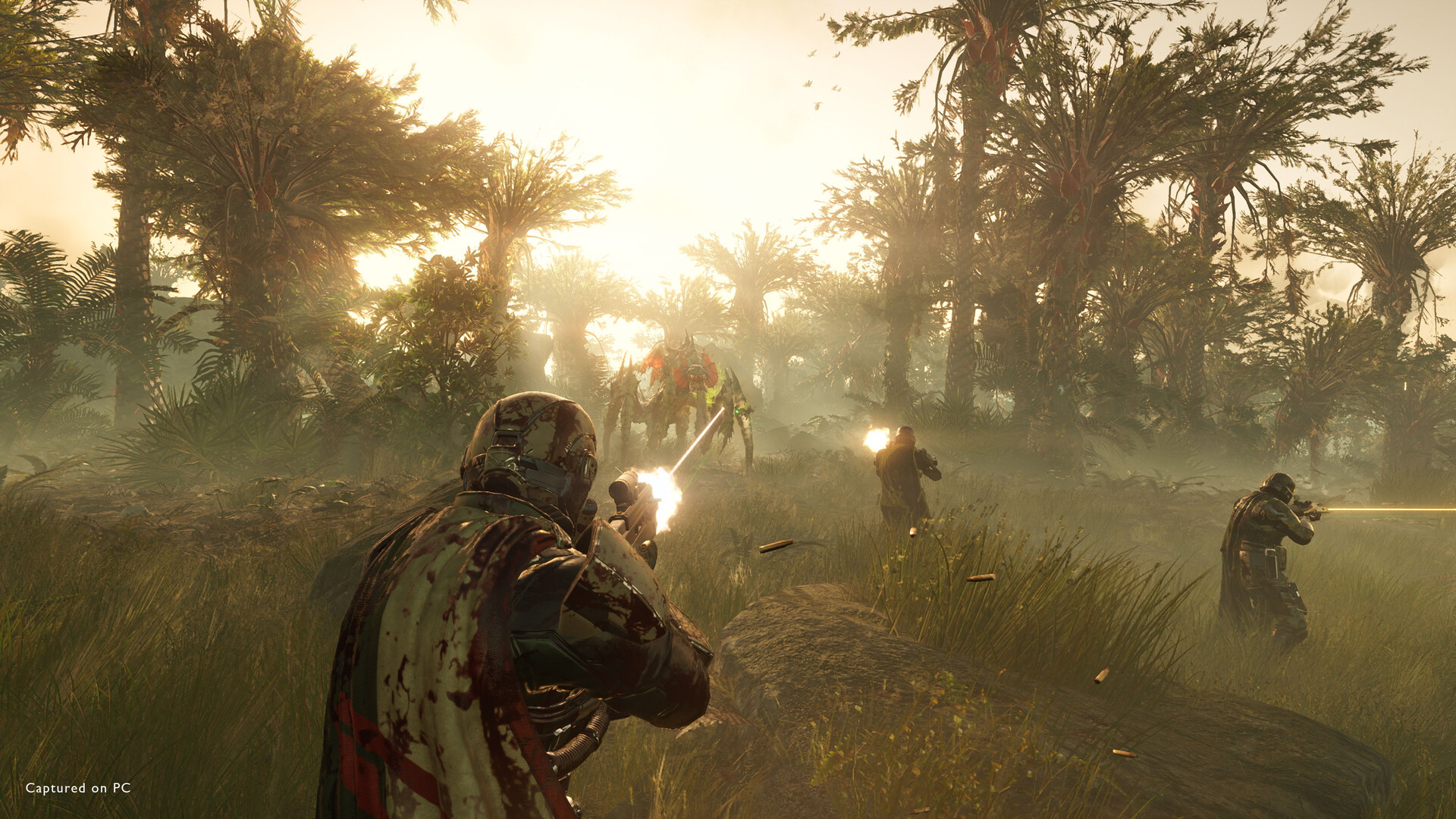
Quick Answer: Helldivers 2 Mission Control is the game’s ship-side coordination layer: the place where you pick missions, read objectives, set difficulty, choose stratagem-ready loadouts, and launch operations through Super Earth’s war machine.
What Helldivers 2 Mission Control Actually Means
Helldivers 2 Mission Control is the shorthand players use for the entire pre-drop and operation-management flow in HELLDIVERS™ 2—the interface and decisions you make aboard the Super Destroyer before boots hit the ground. It is not a single item, perk, or consumable; it’s the mission-planning system that determines what kind of fight you are about to enter, what tools you bring, and how much pressure the galaxy will put on your squad once the drop pod opens.
In practical terms, Mission Control covers the full chain of: selecting an active planetary operation, choosing a mission within that operation, setting a difficulty, reviewing primary and secondary objectives, and equipping the stratagems and gear that will carry the run. The result is that Mission Control shapes nearly every moment of a deployment even though it never appears as a standalone combat mechanic.
That matters because Helldivers 2 is built around friction, coordination, and consequence. The game is a 2024 cooperative third-person shooter from Arrowhead Game Studios, and it leans hard into fast, frantic missions where your preparation matters as much as your aim Source. The loop is also substantial: HowLongToBeat lists roughly 32.43 hours for the main story, 65.01 hours with extras, and 89.08 hours for completion Source. So Mission Control is not just a menu stop; it is where a major part of the game’s identity is decided.
If you are looking for the exact “thing” named by the keyword, the clean answer is this: Helldivers 2 Mission Control is the operational hub on the Super Destroyer that lets you choose where, how, and with what equipment your squad deploys. That includes mission selection, strategic planning, and loadout coordination rather than battlefield command in real time.
What It Does and What It Requires
Helldivers 2 Mission Control determines three big things before a mission begins: where you fight, what you must do, and what tools you can bring. It does this through the galaxy map, the operation panel, and your loadout screen. If you change any of those inputs, you are essentially rewriting the odds of the mission before the first enemy sees you.
At the most basic level, Mission Control lets you:
- Select a planet and sector on the galactic war map.
- Pick an operation made up of one or more missions.
- Choose a difficulty level for the mission set.
- Review mission modifiers, objective types, and environmental hazards.
- Equip weapons, armor, grenades, boosters, and stratagems.
- Confirm deployment and launch the drop sequence.
The concrete in-game requirement is simple: you need access to your Super Destroyer and an operation board. There is no craftable “Mission Control” item and no consumable version of it. It is built into the ship interface. In effect, it exists the moment you are on the destroyer and able to interact with the mission table and loadout screens.
Concrete examples of what it governs
Mission Control influences examples like these:
- A Terminid operation on a high-risk world where you prioritize crowd control, anti-armor, and extraction mobility.
- An Automaton mission where you swap in heavier anti-robot tools and prepare for turret fire, dropships, and armored targets.
- A squad planning to clear a Blitz mission, where speed and map discipline matter more than prolonged sustain.
Because it sits upstream of the actual firefight, Mission Control is also where you answer questions like: “Do we bring an orbital strike for objectives, or a sentry for defense?” and “Is this a sample run, a medal push, or a pure survival attempt?” That strategic framing is why veteran squads often treat the ship interface as part of the run, not just the lobby.
What it is not
Mission Control is not:
- A separate game mode
- A ship module
- A cosmetic upgrade
- A hidden room you unlock
- A mission reward
It is the control structure that surrounds all mission launch activity. That distinction matters because players sometimes search for it as if it were a collectible or upgrade path when it is really the system behind every deployment.
For broader context on how the game’s run structure fits together, see operation flow guide and stratagem loadout guide.
You might also like
- Helldivers 2 Available Platforms Updated 3/7/2024 See all the available platforms and consoles for Beginner Guide
- Helldivers 2 similar games co op shooter deep rock galactic remnant outriders Beginner Guide
- Helldivers 2 fourth faction alternative multiple enemies planet why Beginner Guide
- Helldivers 2 Why Now May Be the Perfect Time for a New Enemy Faction
- Helldivers 2 Which enemy faction do you enjoy fighting in: Beginner Guide
Where to Find It, Open It, or Trigger It
You find Helldivers 2 Mission Control on the Super Destroyer, where the ship UI gives you access to operations, loadouts, and deployment. It is triggered naturally whenever you move to the mission planning flow, so there is no unlock quest or special location hunt involved. If you can access the ship’s mission board, you are already inside Mission Control.
Where players usually encounter it
The most common places are:
- The galaxy map used to choose a planet and active front.
- The operation selection panel that lists available missions in a sequence.
- The loadout interface where you edit weapons and stratagems before deployment.
- The ready-up state just before the squad launches.
Players often talk about “going back to Mission Control” when they mean returning from loadout tweaks to the mission board, or when they want to re-evaluate the operation after seeing an unpleasant modifier. That shorthand is useful because the system is really a sequence of linked screens rather than a single button.
How it works in the flow of a session
A typical flow looks like this:
- Open the galactic war map.
- Select a planet and view current operations.
- Choose an operation and inspect its mission list.
- Check the objective type, enemy faction, and modifiers.
- Open loadouts and assign stratagems, weapons, and boosters.
- Confirm the mission and deploy.
That is the “trigger” in functional terms. Mission Control does not need crafting materials, requisition slips, samples, or medals to appear. You do not unlock it by level. You use it because the game is built around it.
Where people get tripped up
A common misread is assuming Mission Control refers to one specific terminal on the ship. In reality, it’s the whole pre-mission interface set. Another frequent confusion is treating mission selection and stratagem assignment as separate systems when they are part of the same decision chain. That chain matters because Helldivers 2 rewards teams that coordinate before drop, not just after contact.
If you want to compare ship-side systems, the nearest sibling topics are ship modules guide and requisition slips guide.
Best Uses: When Mission Control Gives You the Advantage
Helldivers 2 Mission Control is strongest when you use it to solve problems before the mission starts. It is less about “being in the menu” and more about making the right deployment call for the target, the biome, and the squad’s strengths. The best players use Mission Control to reduce waste: wasted lives, wasted stratagems, wasted time, and wasted objective resets.
Best use cases
- Anti-faction loadout planning: If the enemy front is packed with armored units, Mission Control is where you swap toward anti-tank support, heavier orbitals, and weapons that punch through armor. If the mission is against swarms, you pivot toward area denial and high-ammo primary choices.
- Objective-first squad planning: Missions with tricky side objectives or chained task routes reward pre-planning. In Mission Control, you decide whether the squad needs mobility, demolition, or sustain to finish the route cleanly.
- Difficulty tuning: Higher difficulties change the texture of the mission, not just enemy health. Mission Control is where you decide whether the squad is ready for the extra pressure or whether a lower tier will yield faster, cleaner rewards.
- Extraction planning: If the mission type often creates chaotic exits, you can plan for smoke, sentries, or mobility tools before the drop. That is often the difference between a clean extract and a wipe at the shuttle pad.
- Resource runs: If the goal is samples, medals, or efficient objective clears, Mission Control lets you bias the run toward map coverage and reliability rather than pure spectacle.
Example squad plans
A few concrete examples make the point:
- Terminid swarm mission: Bring crowd control, area denial, and at least one tool for handling heavies.
- Automaton defense-heavy mission: Prioritize armor penetration, orbital destruction, and cover-aware positioning.
- Fast objective run: Choose mobility, short-cooldown stratagems, and a loadout that can operate without long setup time.
Mission Control shines because Helldivers 2 is a game where the wrong pre-drop choice can snowball into mission failure. If your squad goes in with poor anti-armor coverage, no answer to swarms, or no way to recover from a botched push, you feel that mistake immediately.
When to lean on it most
Use Mission Control especially when:
- You are changing squad composition.
- You are stepping up difficulty.
- You are fighting a faction you do not normally queue against.
- The mission modifier list looks punishing.
- You want to chase medals, samples, or a clean operation clear.
That said, Mission Control is not always about maximizing power. Sometimes the best use is simply choosing a mission you can finish consistently. A team with modest gear but strong coordination often does better than a flashy group with no plan.
For deeper planning context, see loadout optimization guide and faction counter guide.
When to Skip, Replace, or Rework Your Plan
Helldivers 2 Mission Control should be skipped, replaced, or reworked whenever your first plan does not match the mission reality. The system is not about stubborn commitment; it is about adapting before the drop pod commits you to a bad situation. If the objective chain, enemy faction, or terrain is a poor fit for your current build, the correct move is to change the plan in Mission Control rather than forcing a bad run.
When to change your plan
- You are under-equipped for armor: If the enemy front is full of hard targets and your squad lacks reliable anti-armor, rework the loadout before launching.
- Your squad duplicates roles too heavily: Four players bringing nearly the same answer can be a trap. Mission Control is where you balance anti-swarm, anti-armor, utility, and objective clearing.
- The objective is time-sensitive: Blitz-style or otherwise fast-moving missions often punish slow, overbuilt setups.
- The map favors mobility: Wide terrain, heavy patrol pressure, or hard-to-reach objective points can make static builds a liability.
- The mission modifiers are nasty: Some combinations simply invite a different approach, and the ship screen is where you decide whether to embrace them or pick another operation.
Situations where a replacement is smarter than a tweak
Sometimes a minor swap is not enough. Replace the plan entirely when:
- Your squad has no answer to the mission’s biggest threat.
- The mission sequence contains a stage your team repeatedly fails.
- You are trying to farm something specific and this operation is a poor route for it.
- A teammate’s build is locked into a niche role that does not help the current run.
Example “skip” scenarios
Here are concrete examples of when Mission Control should push you toward a different choice:
- A squad built for crowd clearing but entering a mission that repeatedly spawns heavy armor.
- A team trying to play slow and safe on a map that rewards speed and split-route execution.
- A sample farming run where the route is too dangerous to justify the time sink.
This is one of the biggest mental shifts in Helldivers 2: sometimes the right answer is not “how do we survive this?” but “why are we choosing this operation at all?” Mission Control is where that question gets answered honestly.
If you are refining that decision-making loop, the closest sibling guides are difficulty guide and mission types guide.
Common Misreads and Troubleshooting
Helldivers 2 Mission Control has a few common failure modes, and most of them come from misunderstanding what the system does rather than from bugs. When players say Mission Control “isn’t working,” they usually mean one of three things: they cannot find the relevant screen, they cannot see the expected mission options, or they misread the loadout and operation requirements.
Common misreads
- “Mission Control is a separate mode.” It is not. It is the planning and deployment flow on the ship.
- “I need to unlock Mission Control.” You do not. You already have access through the Super Destroyer interface.
- “The mission board and loadout screen are different systems.” They are linked parts of one mission-planning process.
- “If I can’t select a mission, the game is broken.” Sometimes the issue is that the current operation availability, difficulty selection, or squad state limits what you can choose.
- “Mission Control decides combat for me.” It does not. It sets conditions and tools; execution still depends on the squad.
Troubleshooting checklist
If Mission Control seems confusing or blocked, check these:
- Make sure you are on the Super Destroyer and not in a post-mission reward flow.
- Confirm you have moved to the operation view, not just the galaxy map.
- Verify that your squad is not mid-transition between screens.
- Re-open loadouts if stratagems or weapons do not appear to update.
- Back out and re-enter the mission board if the UI seems stale.
Real examples of player-side mistakes
- A player believes their support weapon was “lost” when they only changed loadouts for one mission and never re-confirmed the new setup.
- A squad assumes the operation is locked when they actually selected a different planet or difficulty tier.
- A team enters a mission with a plan built around the wrong enemy faction and then blames Mission Control rather than the pre-drop decision.
What Mission Control cannot fix
It cannot fix:
- Poor team communication
- Bad aim under pressure
- A mismatched squad composition
- A mission route chosen for the wrong reward goal
- In-mission panic after the drop
That sounds obvious, but it matters. Helldivers 2 is a game where the ship-side plan is powerful, yet it still depends on execution once the pod lands. Mission Control gives you the best possible starting point; it does not guarantee success.
For adjacent help, see loadout mistakes guide and extract strategy guide.
Related Systems and Why They Matter
Helldivers 2 Mission Control is only one layer of the larger command loop, and it becomes much clearer when you compare it with nearby ship systems. The biggest neighboring mechanics are stratagem selection, ship modules, requisition spending, and mission operations. Together, they form the pre-deployment brain of the game.
Related systems you should know
| System | What it affects | How it connects to Mission Control | Practical example |
|---|---|---|---|
| Stratagems | Reinforcements, support weapons, orbitals, sentries | Chosen during pre-drop planning | Orbital strike for heavy targets, resupply for sustain |
| Ship Modules | Passive upgrades to your ship and stratagem performance | Changes the value of the tools selected in Mission Control | Upgraded sentry or improved cooldown support |
| Operations | Mission chains on a planet | The core decision layer Mission Control organizes | One operation may include multiple objectives |
| Difficulty | Enemy pressure, mission complexity, reward expectations | Determines how aggressive the plan should be | Lower difficulty for safe clears, higher for challenge |
| Boosters | Squad-wide perks before deployment | Final layer of squad preparation | More mobility, more survivability, better mission flow |
Mission Control matters because these systems do not exist in isolation. A strong stratagem loadout may still underperform if the chosen operation demands a different playstyle. Likewise, a good mission choice can be made much stronger by matching it with the right booster and support package.
Concrete examples of synergy
- A squad selecting an objective-heavy operation can pair Mission Control planning with tools that keep the team moving rather than tools that only shine in long fights.
- A defense-heavy mission becomes far easier when the ship-side plan includes area denial and a sensible extraction backup.
- A faction-specific build becomes much more effective when the chosen operation does not force the squad into an awkward terrain fight.
This is also where the “control” part of Helldivers 2 Mission Control earns its name. You are not just picking a mission; you are controlling the starting conditions of the entire war story. The better you understand the relationship between mission boards, stratagems, and ship upgrades, the more often your squad can choose fights on favorable terms.
If you want to go deeper, the most relevant sibling references are stratagem tier guide, ship module guide, and operation rewards guide.
Performance, Popularity, and Why Mission Control Matters More Than It Looks
Helldivers 2 Mission Control is worth learning because the game’s scale and player demand reward efficient planning, not just raw action. The title has drawn enormous attention: Steam’s official review summary currently reads “Mostly Positive” (75.2% positive) across 1151787 reviews Source, and SteamSpy estimates ownership at 20,000,000 .. 50,000,000 Steam accounts Source. Those numbers tell you something important: the game is popular enough that players constantly iterate on mission planning, loadouts, and squad roles.
That popularity helps explain why Mission Control is such a common topic. When a game has this many players, the difference between a clean operation and a messy one gets magnified by community discussion, build theory, and faction-specific optimization. Even the broader data around the game suggests long-term engagement: the current-session ecosystem includes tens of thousands of players on Steam at a time, and the game’s achievement ecosystem still shows notable friction around harder challenges. Valve’s global achievement stats show the rarest of the 38 tracked achievements is unlocked by only 10.7% of players Source. That is a strong sign that preparation and execution both matter.
Why this matters to Mission Control
- More players means more experimentation with mission planning.
- Higher difficulty pursuit makes pre-drop strategy more valuable.
- Long-lived operations and faction fronts reward structured decision-making.
- The game’s identity is built around coordinated chaos, so the planning screen is where you tame the chaos.
Mission Control also remains relevant because Helldivers 2 is not a “set-and-forget” game. It’s a live service shooter with shifting war conditions, so the same loadout that works brilliantly on one front can feel clumsy on another. That is why experienced squads keep returning to the ship interface between dives: they are not just readying for the next mission, they are adapting to the current war.
Two more concrete facts underline the game’s scale and staying power. Metacritic aggregates a critic score of 82/100 across 69 professional reviews Source, and Steam’s current review summary sits at 75.2% positive Source. You do not need to obsess over review numbers to play well, but they do reinforce that the game has a substantial, ongoing audience for mission optimization and tactical discussion.
For adjacent reading, check current meta guide and best stratagems guide.
FAQ
Is Helldivers 2 Mission Control a real in-game feature or just community slang?
It is community slang for the ship-side mission planning and deployment flow, not a separate named menu or unlockable feature. Players use it to describe the full process of choosing operations, loadouts, and mission parameters.
Do I need to unlock Mission Control?
No. You access it through the Super Destroyer interface as part of normal mission selection and deployment. There is no separate craft, perk, or quest gate for it.
Does Mission Control affect combat difficulty directly?
It affects the mission’s starting conditions, not your character’s combat stats by itself. The choices you make there—difficulty, operation, stratagems, and loadout—shape how hard the fight will feel.
Can I change my plan after opening Mission Control?
Yes, and you often should. The whole point of the system is to adjust your loadout and mission choice before launch so your squad enters with a better answer to the front you are facing.
What is the biggest mistake players make with Mission Control?
The biggest mistake is treating it like a formality instead of part of the run. In Helldivers 2, pre-drop planning is often the difference between a clean extract and a mission collapse.
Is Mission Control the same as stratagem selection?
Not exactly. Stratagem selection is one part of Mission Control. Mission Control is the broader ship-side decision space that includes mission choice, operation flow, difficulty, and loadout planning.
Sources
- Steam store page
- HowLongToBeat page
- Steam reviews / player summary
- SteamSpy ownership estimate
- Metacritic page
- Steam achievements stats
See also
- Helldivers 2 Super Destroyer Screen Display Interactive Update: Beginner Guide
- Helldivers 2 Ground All Terrain Extraction Rig GATER Beginner Guide
- Helldivers 2 Reviewed by Game878Helldivers 2Read Full Review Story5Gameplay9Visuals9Audio8Value forMoney8 Beginner Guide
- Helldivers 2 fan creates indoor dungeon mission concept: Beginner Guide
- Helldivers 2 Beginner Guide: Start Strong, Spend Smart, and Survive the Early War
- Helldivers 2 How to Destroy Fuel Silos and Stockpiled Ammunition
- Helldivers 2 How to Check Galactic War Progress: Beginner Guide
- Helldivers 2 How to Get the EX-03 Prototype 3 Armor Set
- Helldivers 2 How to Fix Stuck in Drop Pod Bug
- Helldivers 2 Pages using DynamicPageList3 parser function: Beginner Guide
スクリーンショット

レビュー担当
HD2 Guides Editorial
専門分野: Editorial team behind HD2 Guides. Content is compiled from official patch notes, community wikis, and playthrough notes, then reviewed and updated on schedule.
出典
🔥 急上昇ワード
Helldivers 2 Minor Locations リファレンスガイド
Helldivers 2 Minor Locations とは何か、どこで見つかるのか、何が手に入るのか、そしていつスルーすべきかを解説します。
Helldivers 2 Minor Corporations
Helldivers 2 Minor Corporations は公式のメカニクスではありません。用語の意味、どこで見かけるのか、代わりに何を参照すべきかを解説します。
Helldivers 2 初心者ガイド: Super Earthで強く始めよう
Helldivers 2の基本を最速で押さえる、最初の1時間で役立つコツ、資源の優先順位、よくあるミス、そして次のステップに進むタイミングまでまとめて紹介。
Helldivers 2初心者ガイド: 最初にやるべき賢い手順、資源、よくあるミス
初動1時間でやること、資源の使い方、Eagle戦略支援の基本、よくあるミス、そして初心者卒業の目安まで分かる。
📋 パッチノート解説
🛠️ 人気ツール
よくある質問
ガイドの要点を即答 · 質問をクリックで展開。
Is Helldivers 2 Mission Control a real in-game feature or just community slang?
It is community slang for the ship-side mission planning and deployment flow, not a separate named menu or unlockable feature. Players use it to describe the full process of choosing operations, loadouts, and mission parameters.
Do I need to unlock Mission Control?
No. You access it through the Super Destroyer interface as part of normal mission selection and deployment. There is no separate craft, perk, or quest gate for it.
Does Mission Control affect combat difficulty directly?
It affects the mission’s starting conditions, not your character’s combat stats by itself. The choices you make there—difficulty, operation, stratagems, and loadout—shape how hard the fight will feel.
Can I change my plan after opening Mission Control?
Yes, and you often should. The whole point of the system is to adjust your loadout and mission choice before launch so your squad enters with a better answer to the front you are facing.
What is the biggest mistake players make with Mission Control?
The biggest mistake is treating it like a formality instead of part of the run. In Helldivers 2, pre-drop planning is often the difference between a clean extract and a mission collapse.
Is Mission Control the same as stratagem selection?
Not exactly. Stratagem selection is one part of Mission Control. Mission Control is the broader ship-side decision space that includes mission choice, operation flow, difficulty, and loadout planning.
このガイドは役に立ちましたか?
改善のため、このガイドを評価してください。
Share your own tip
Found something not in the guide? Submit it below — our editors review every tip before publishing. No account required.